
A PDF reader unimpressed by the rest, that cares about what matters to you.
We don't spam you. We never will. We are smooth, we are smart. You'll feel the difference.
AntiPDF reads, marks up, edits and organises PDFs on Windows. Huge files open straight away, scanned pages become text you can search, and sensitive details are removed for real. Your documents are never uploaded.
For Windows 10 and 11. Coming to the Microsoft Store.
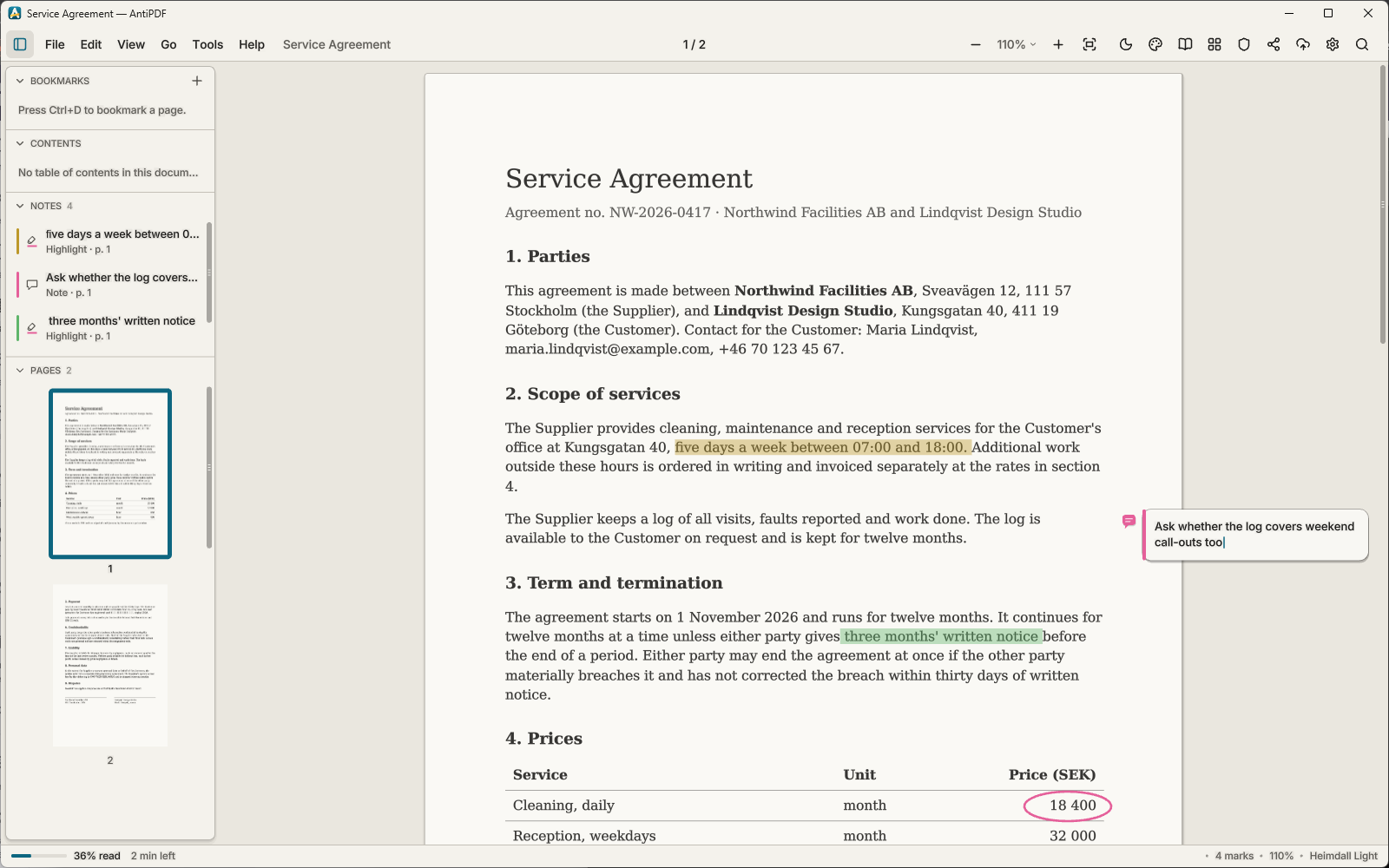
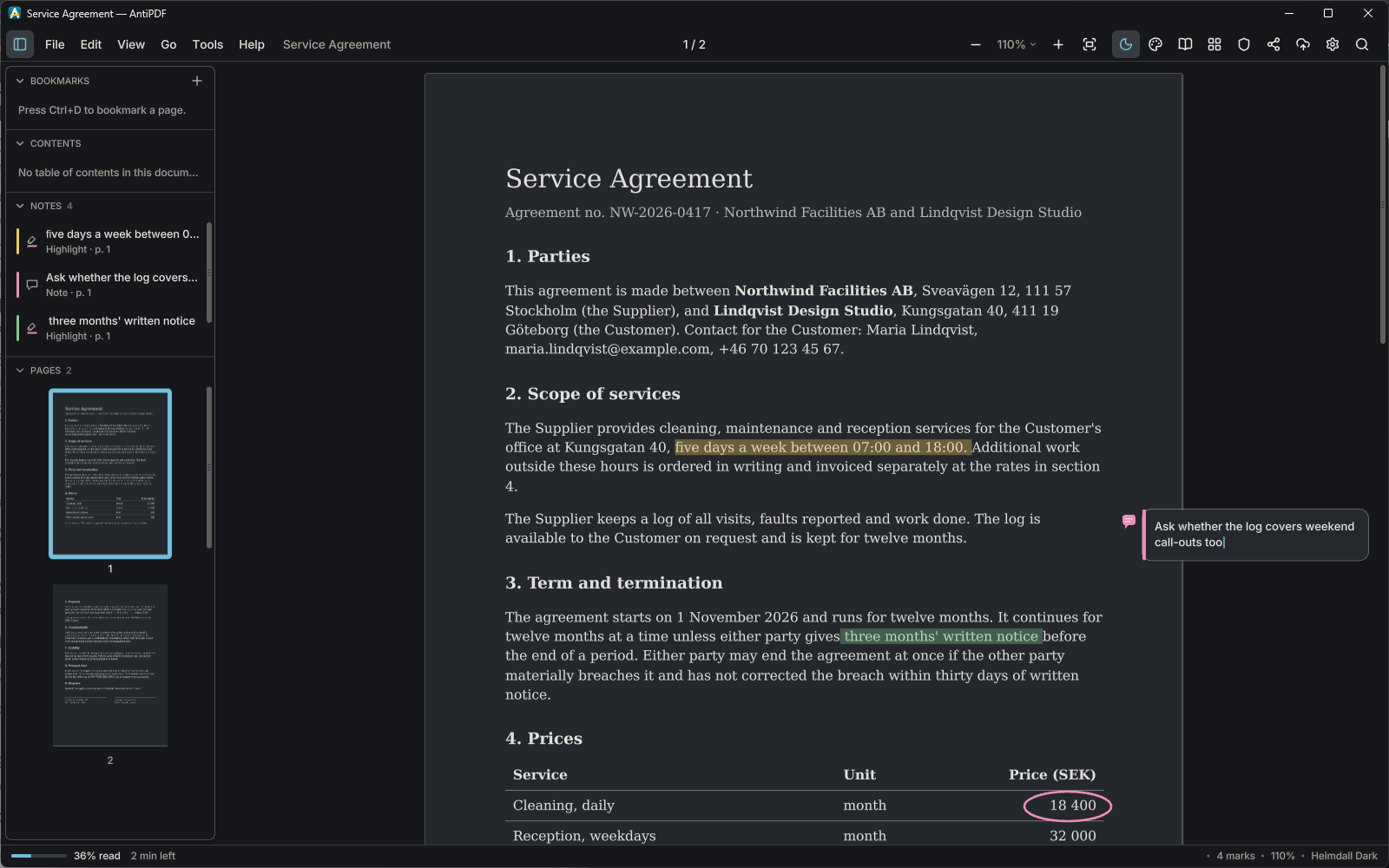
Big files, no waiting
AntiPDF maps a file instead of reading it whole, and builds each page only when it comes into view. Slow work runs on threads of its own, so the page keeps scrolling smoothly while files open, scans are read and copies are saved.
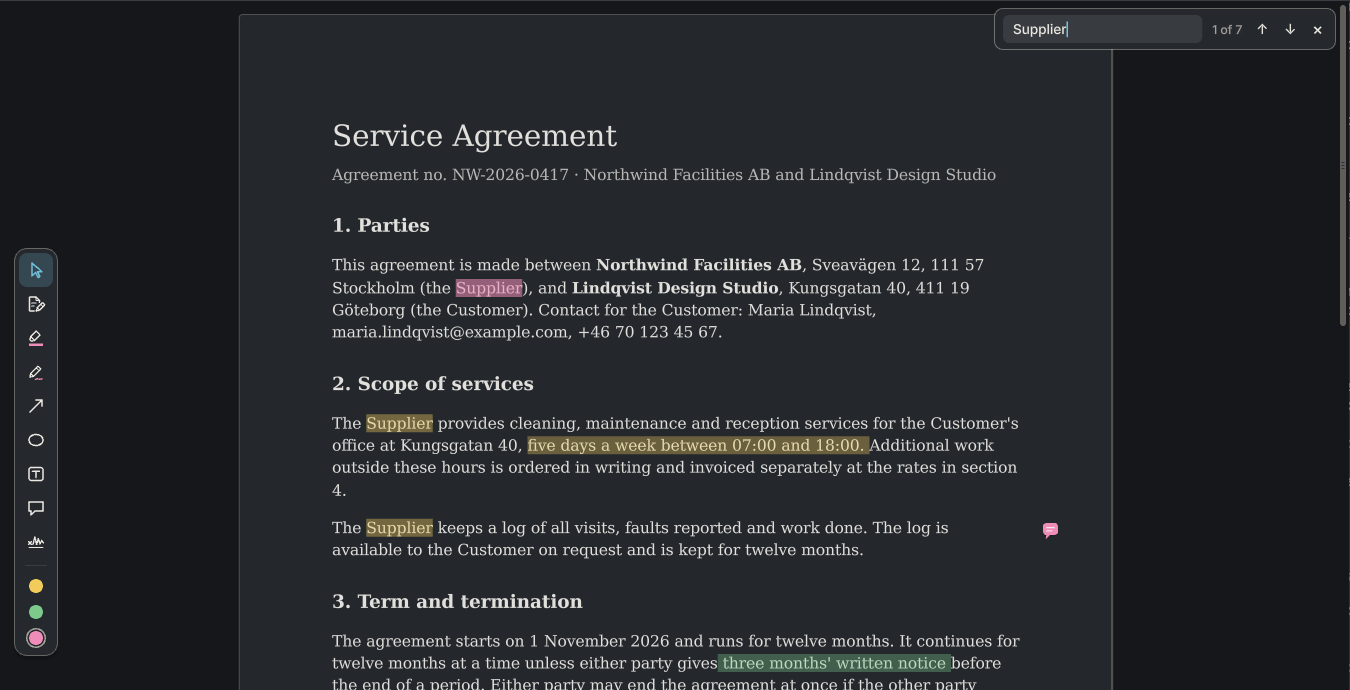
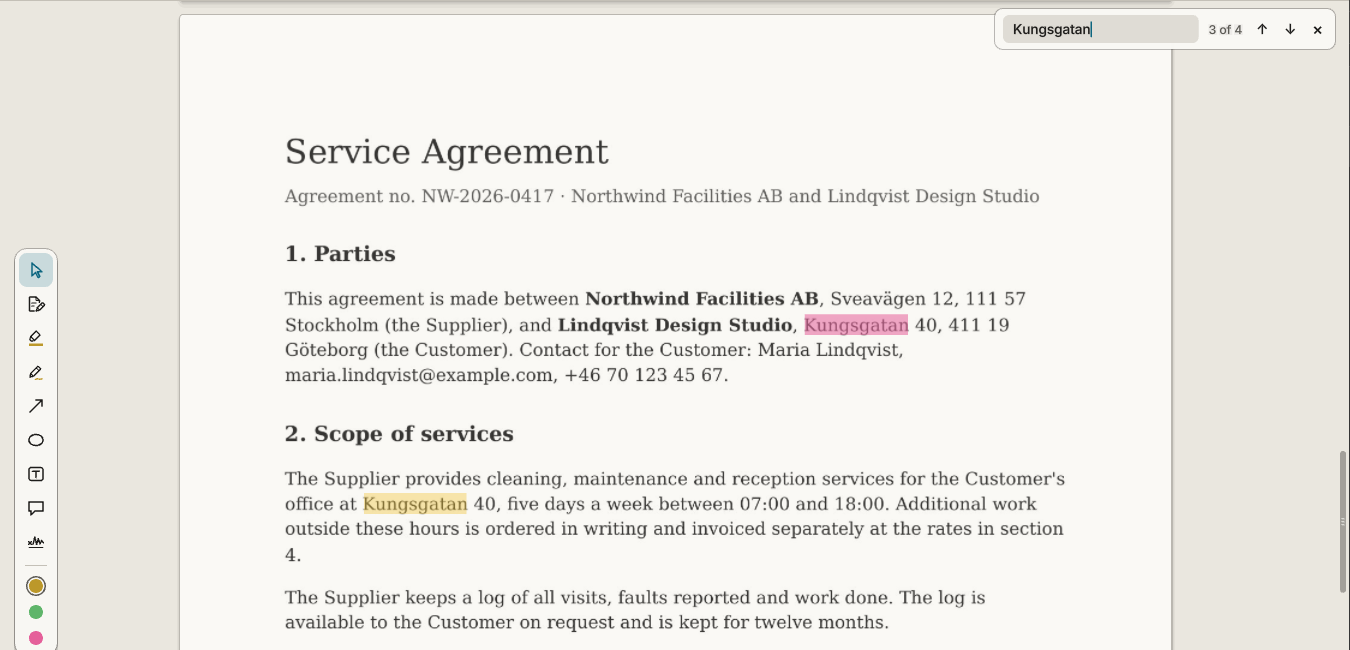
Find any word, then keep reading where you stopped
Search runs through the whole document as you type and marks every match. The side panel holds bookmarks, the table of contents, your notes and page thumbnails.
AntiPDF remembers your place in every document. The status bar says how much you have read and how long the rest will take.
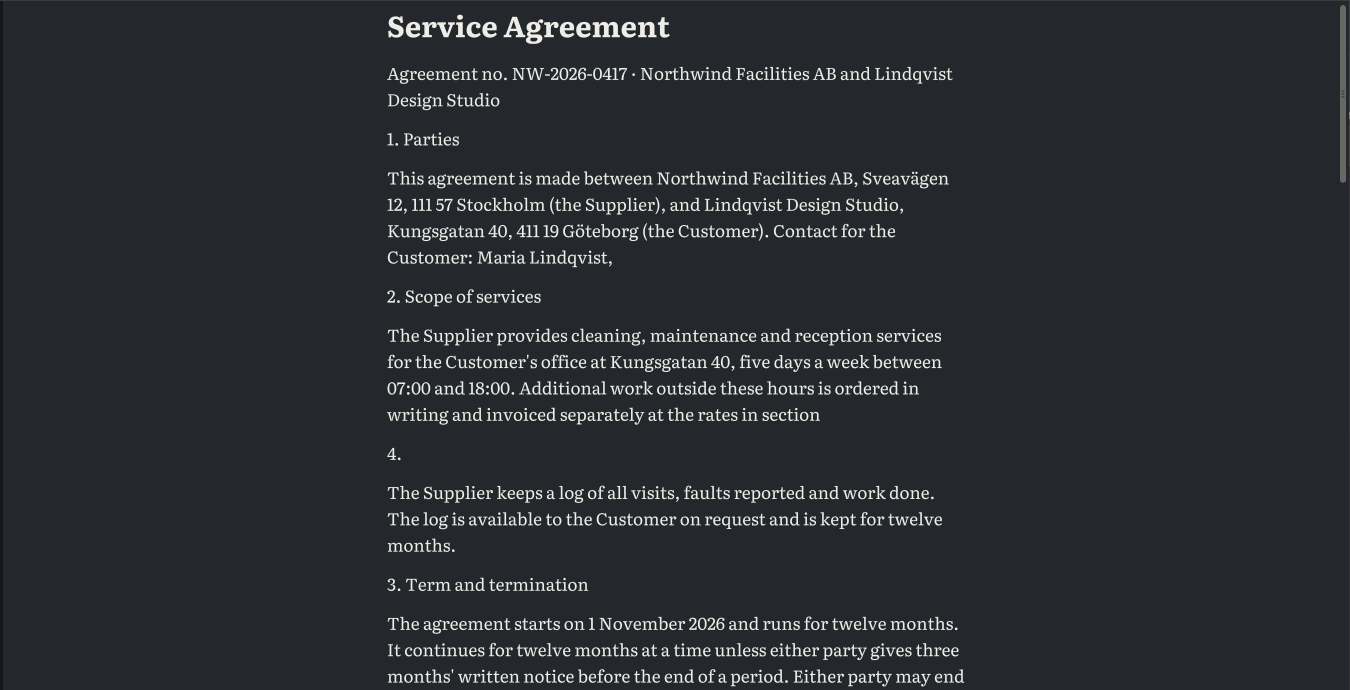
Text in one calm column
The reading view (F9) pours a page's text into a single column that rewraps as you zoom, in a reading font of your choice. Good for long reports on a small screen.
Mark it up as on paper
- Highlights in three pen colours
- A freehand pen, arrows and rings
- Text boxes and notes beside the text
- Hand-drawn signatures
Every mark is listed in the side panel, undone with Ctrl+Z and saved into the PDF, so other readers see it too.
Scans become text you can search
A page that is only a picture is read in the background by text recognition that runs on your own graphics card. You can then search it, select a line and copy it, as with any other PDF.
Make searchable writes a copy with the recognised words as an invisible layer over the scan, so other programs can search it too.
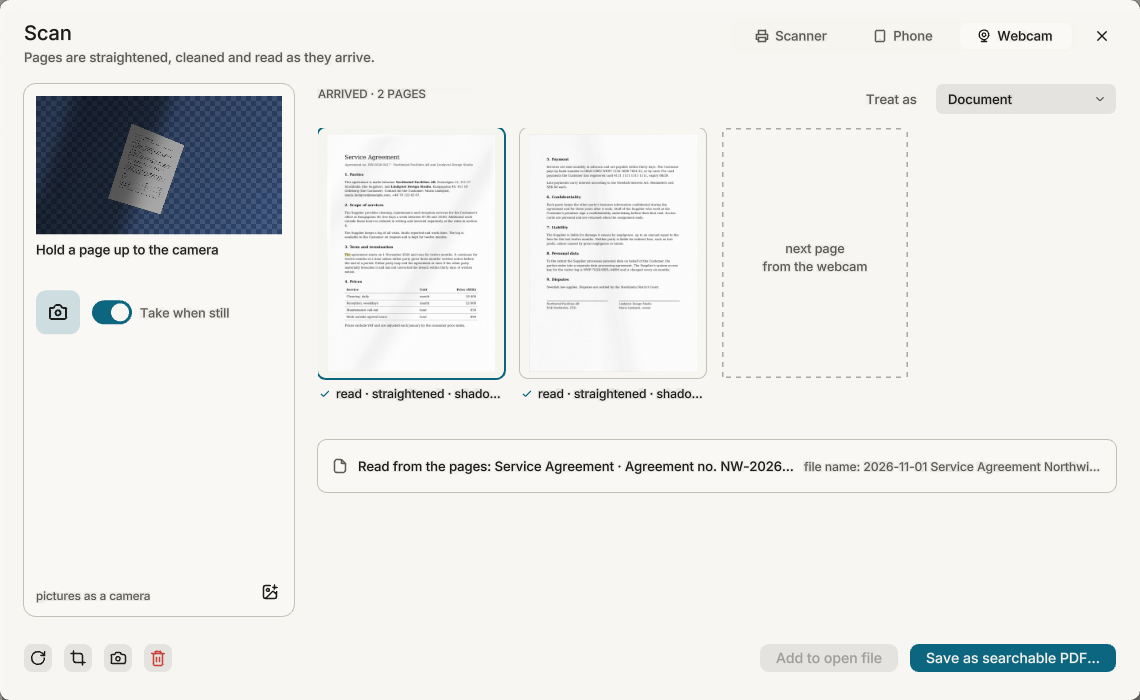
From paper to a searchable PDF
The Scan window takes pages from a scanner, a webcam or your phone, or from pictures you drop on it. Each page is found in the photo, straightened, its light evened out, and read as it arrives.
- Document, receipt, ID card, book or whiteboard
- The file is named from what the pages say
- Add the pages to the open file, or save a new searchable PDF
- From the phone, pictures are encrypted on the phone and only your computer can open them
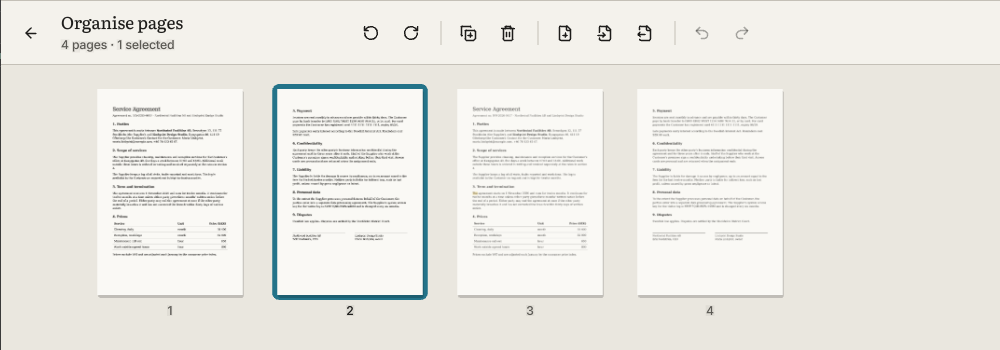
Put the pages in order
Organise shows every page as a tile. Drag to reorder, rotate, duplicate or delete, insert a blank page or pages from another PDF, and extract pages into a file of their own. Undo works here too, and nothing changes until you save.
Edit the page itself
Change a line of text where it stands, or replace a picture, without leaving the reader.
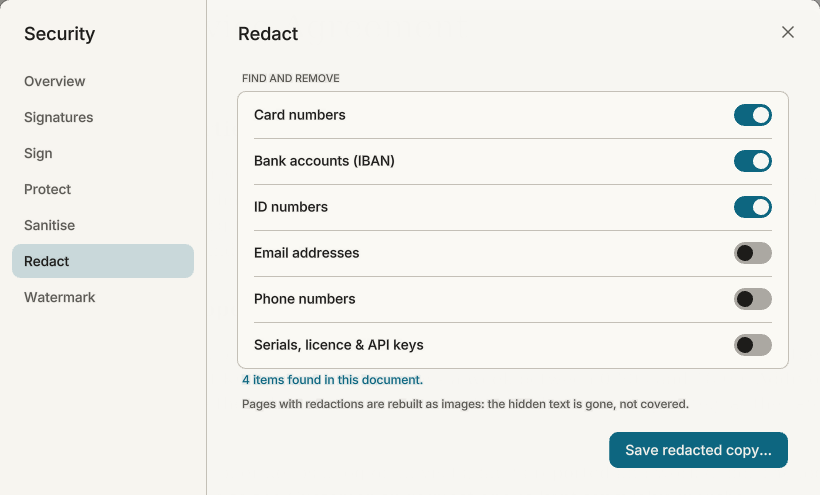
Sensitive details removed, not covered
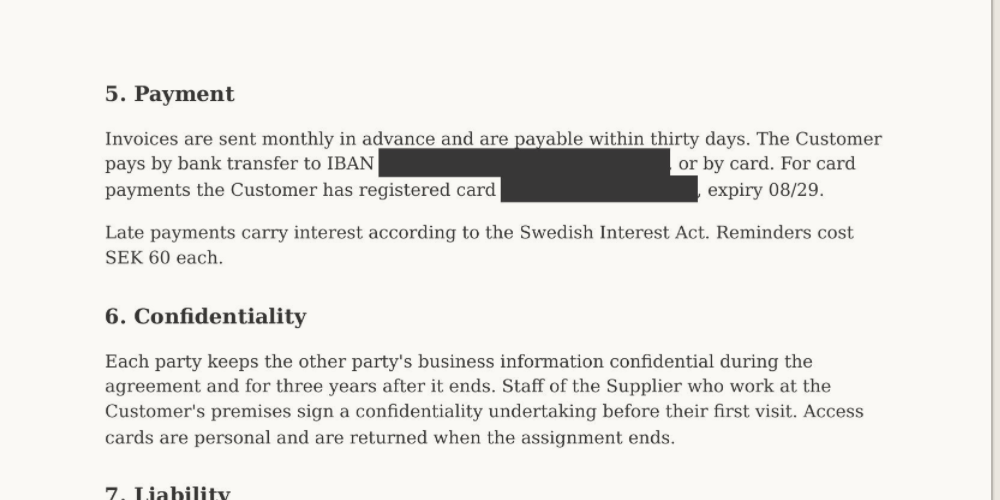
AntiPDF finds card numbers, bank accounts (IBAN), ID numbers, e-mail addresses, phone numbers and keys, on scanned pages too. In the copy it writes, pages with redactions are rebuilt as pictures: the hidden text is gone, not hidden under a black box. Always look through the result before you send it.
Protect, sign, clean and mark a copy
Each makes a new file and leaves the original as it is.
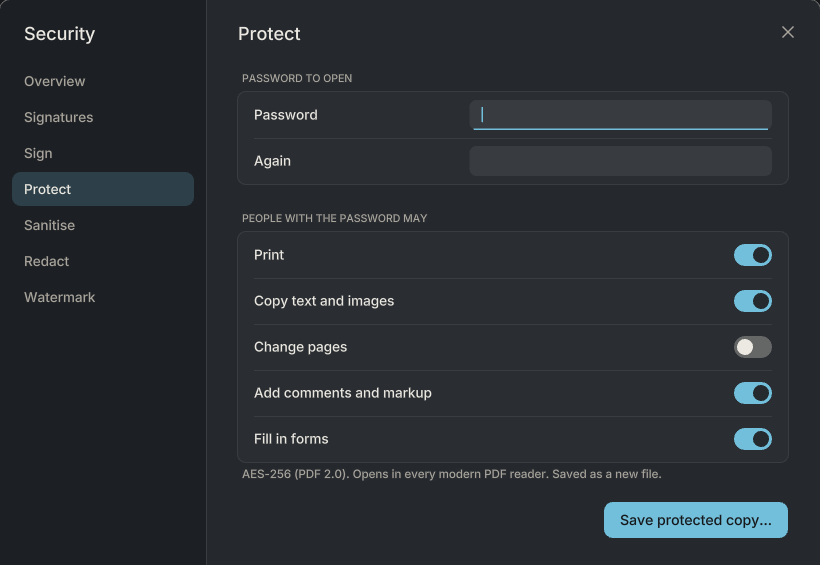
Passwords
AES-256, with what readers may do: print, copy, change pages, comment, fill in forms.
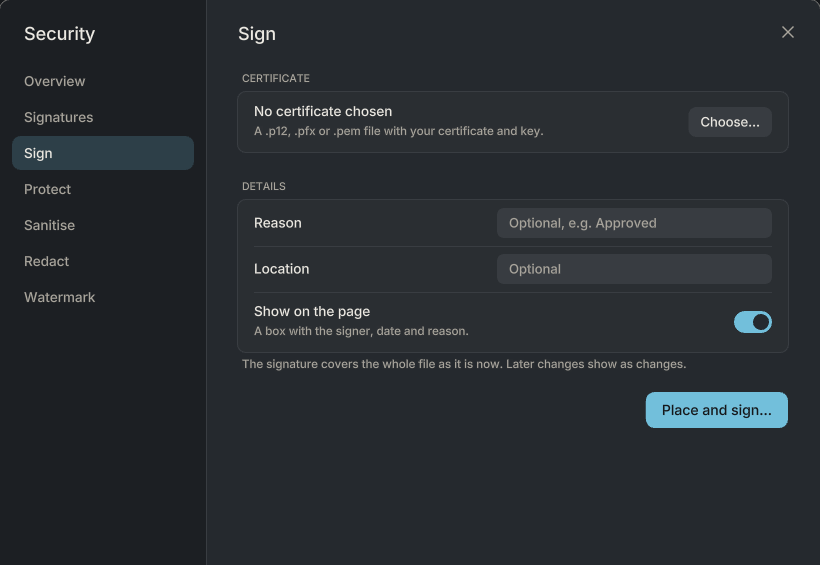
Digital signatures
Sign with your certificate (.p12, .pfx or .pem). Checking signatures is free.
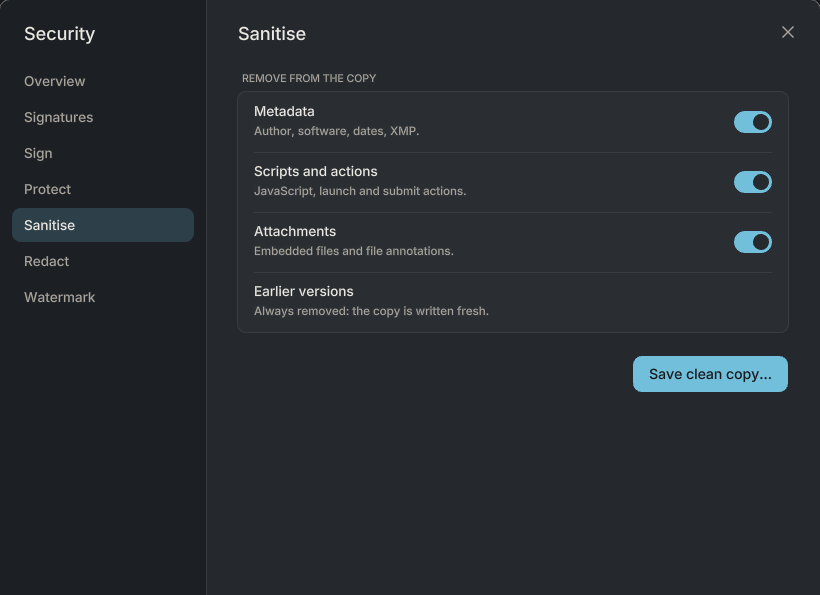
Clean copies
Without metadata, scripts, attachments or earlier versions of the file.
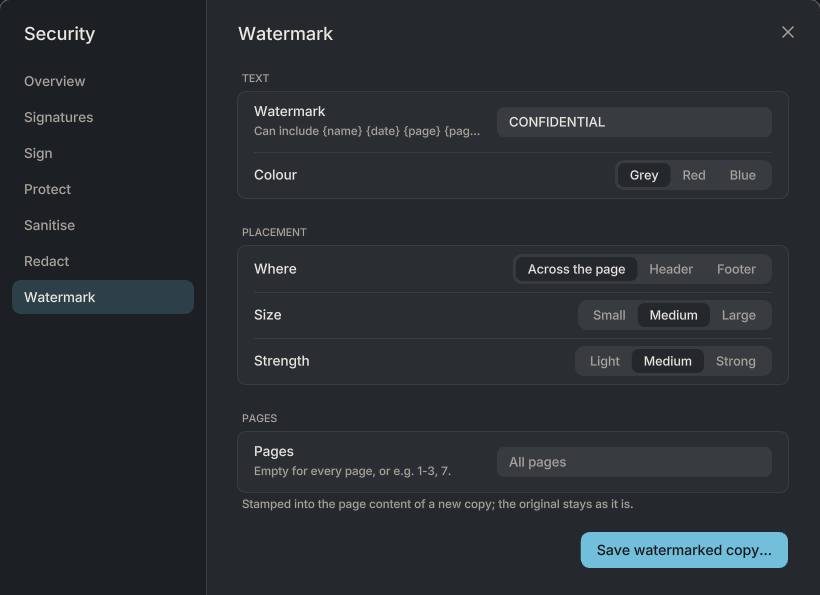
Watermarks
Across the page, in the header or the footer, with the name, date or page number.
AntiPDF never runs scripts, opens attachments or follows a document's actions on its own. Printing has booklets, several pages to a sheet, two-sided and Save as PDF.
Your documents wear the theme too
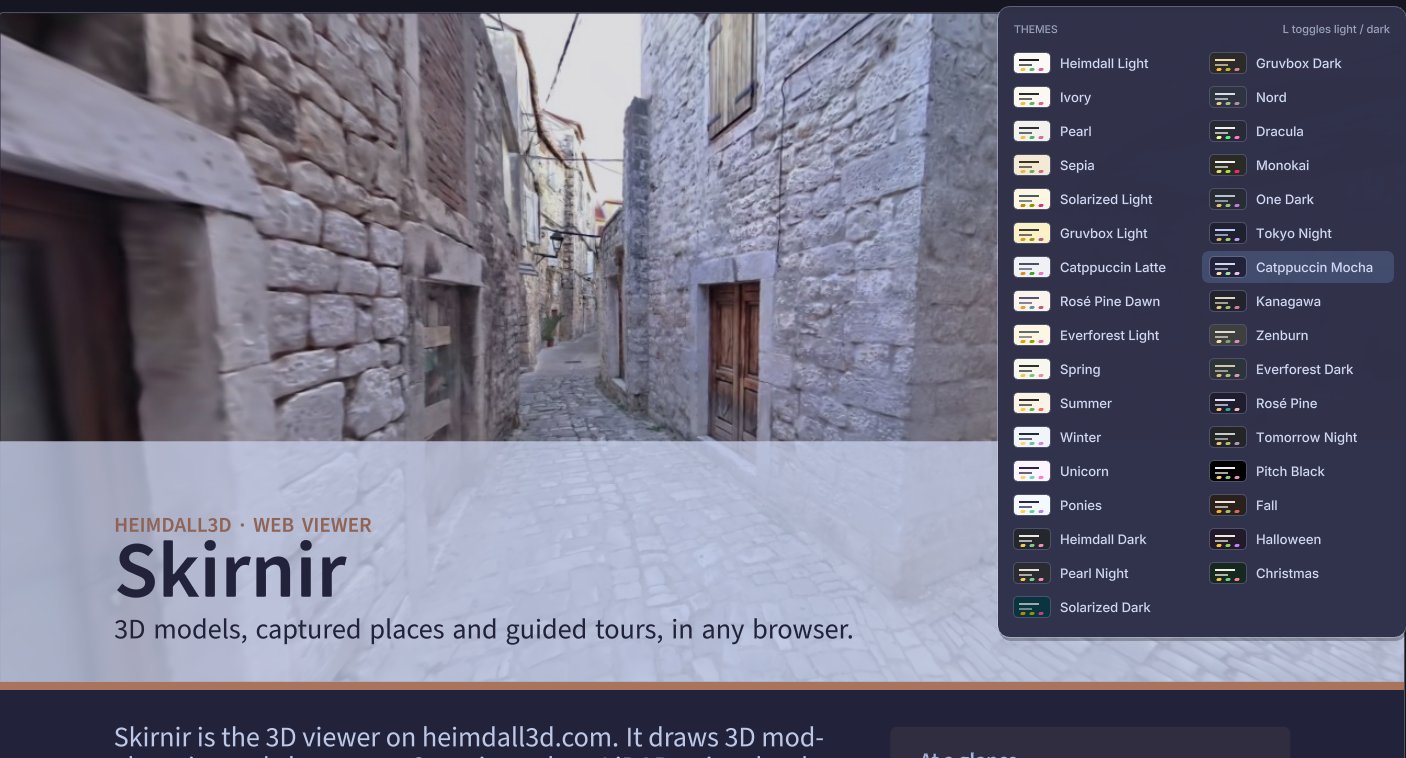
Other readers put a glaring white page in the middle of your dark theme. In AntiPDF the page itself takes the theme's colours: its paper, text and lines, while photographs keep their own. A white page no longer lights up the room at night.
33 themes, light and dark: from Heimdall Light and Catppuccin to Pitch Black for OLED screens, the seasons, Halloween and Christmas. L switches between your light and dark theme.
Your documents stay on your computer
- Opening, reading, editing and saving happen on your computer. Nothing is uploaded unless you share it, and then it is encrypted first: we cannot read it.
- Text recognition runs on your computer, with models that come with the program.
- No tracking, no analytics, no ads. Reading needs no account and works offline.
The privacy policy says the same in full.
What it opens and saves
Opens
Everything opens as a PDF, so every tool works on it
- PDF, including password-protected files and filled-in forms
- Form data (FDF and XFDF): opens its form with the answers filled in
- OpenDocument text, spreadsheets, presentations and drawings (.odt, .ods, .odp, .odg and their templates)
- Pictures: PNG, JPEG, WebP, GIF, BMP, TGA, and TIFF with all its pages
- Comic archives (CBZ), Markdown and plain text
Saves
Files any other program can open
- PDF, with your markup, edits and filled-in forms
- A clean copy to send, or a flattened form
- A form's answers as FDF or XFDF, for any PDF reader to fill the form with
- Markdown: headings, paragraphs, lists and links as text
- Scans as searchable PDFs
Free for reading and everyday work
Free
No time limit, no nagging
- Reading, search, reading view and themes
- Highlights, notes, drawing and hand-drawn signatures
- Editing text and pictures on the page
- Organising, inserting and extracting pages
- Text recognition, Make searchable and the Scan window
- Printing and checking signatures
Pro
€49 a year, €10 a month, or €99 once
- Everything in Free
- Redaction, on scans too
- Passwords and permissions
- Watermarks
- Digital signatures with your certificate
- Sharing, live sessions and chat, encrypted on your computer
- 25 GB of end-to-end encrypted storage
Bought once: the Pro features on your computer, forever; sharing is a €29 yearly add-on.